
Add an Application to a Folder
When you are viewing applications you may decide to place the them into a folder for you or others to revisit.
For example, you might want to put all the applicants that you are interested in interviewing into one folder.
Here's how:
1) Select a list of applications By Vacancy or By Position Desired or any of the other methods.
2) Click the check box to select the applicants you wish to move to your previously created folder. (See Create a New Folder if you have not already created a folder.)
3) Click the "Add them to a folder" link.
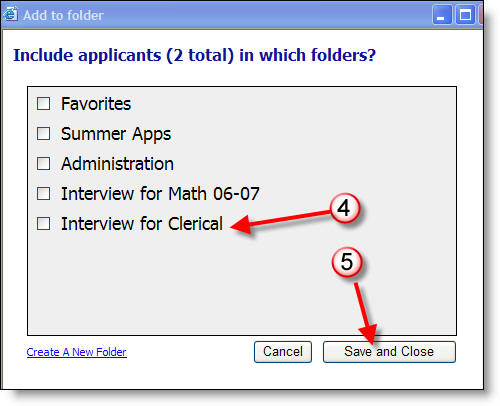
4) Select the previously created folder into which you want to place the applications.
5) Click on Save and Close.
More Information: